
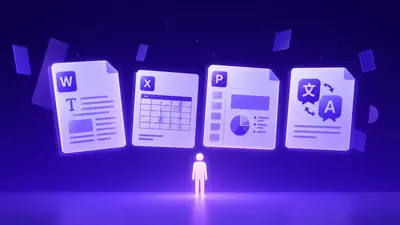
AI document translation workflow matters when finance teams need translated Word, PDF, Excel, or PowerPoint files that preserve layout and reviewer accountability. Use the workflow to choose source files, define review ownership, and ship a translated document without pushing cleanup into a late handoff.
What "Accurate" Means for Text Translation Workflow
You must understand that accuracy in this language pair is not merely about finding the correct vocabulary. Thai grammar is devoid of conjugations and declensions, relying instead on particles and auxiliary words to denote time, mood, and social standing.
Workflow Fit and Reader Need
Your translation strategy must align with the intended audience. For example, Thai distinguishes between registers—formal (Phasa Praphuet), polite/standard (Phasa Suphap), and informal (Phasa Pak)—which dictate word choice significantly.
Quality Checks Before Delivery
Before finalizing any text, organizations need to verify that the message conveys the correct cultural nuance. Since English is an alphabetic language and Thai is an abugida, sentences often expand or contract during translation.
For market context, Slator language technology coverage is useful when teams separate translation automation from the operational review needed to approve business files.
For delivery planning, Nimdzi language services research keeps staffing, terminology ownership, and multilingual operations visible before teams scale a document workflow.
For localization risk, CSA Research market research helps frame why translated files need format, terminology, and delivery checks rather than a plain-text quality review alone.
Check Accuracy and Layout Quality Before Approval
You often encounter recurring obstacles when moving content from English into the Thai language. By anticipating these specific issues, teams can prevent common errors that lead to misunderstandings or unprofessional results.
Format and Number Integrity
Thai script occasionally clashes with digital formatting, particularly when dealing with lists or numerical data. Because Thai uses its own set of numerals, some legacy systems may fail to display them correctly, opting for Western Arabic numerals instead.
Review Ownership and Delivery Handoff
A major point of failure occurs when responsibility for the final review is unclear. Relying on automated systems without a human-in-the-loop review often results in missed tonal shifts. Keeps source text, tone settings, and review in one place.
| Feature | Doctranslate.io Review Path | Manual Review Risk |
|---|---|---|
| File format support | Word, PDF, Excel, PowerPoint, subtitles, and exported PDFs | Teams may rebuild the translated asset after delivery |
| Layout preservation | Tables, page breaks, chart labels, embedded media, and line expansion stay in review | Text expansion can break the visual structure late |
| Review ownership | Terminology owner, business owner, and format owner stay visible | Approval can move to the wrong person or happen too late |
Check Accuracy and Layout Quality Before Approval
You can streamline your translation process by utilizing tools designed to handle the specific complexities of the Thai language. Doctranslate.io provides a robust platform for English to Thai text translation that prioritizes context and tone adjustment to overcome the limitations of standard machine translation.
Product Fit for the Core Workflow
Doctranslate.io excels by allowing you to sign up, upload your source text, and immediately configure your target settings. By selecting the appropriate tone settings, you ensure the output matches your required formality level before the text is even generated.
Review Controls Before Delivery
The platform includes built-in review controls that allow for seamless iteration. The interface allows you to view the original and the translation side-by-side, providing a clear path to verify that the translation captures the nuances of your original message without requiring manual reformatting.
Best Practices to Improve Quality
Teams often struggle with maintaining quality across large volumes of content, but you can improve your outcomes by adopting a structured approach to your translation tasks. By focusing on your core workflow and utilizing advanced review controls, you can minimize rework and improve the overall impact of your translated materials.
Workflow Fit and Review Needs
To improve efficiency, always define your audience profile within the tool before starting the translation. This step is critical because Thai terminology can vary significantly between corporate, legal, and academic spheres.
Operational Review Points Before Delivery
After generating the translation, use the provided tools to cross-reference technical terms against your internal glossary. If the translation requires a lighter or more formal touch, you can adjust the tone settings and regenerate specific segments.
Review ownership matters when translated files move across legal, marketing, and operations teams. Layout and terminology risk usually rises when multilingual delivery is split across too many handoffs.
How Doctranslate.io Fits Review
Doctranslate.io Features for File Review
If the pain point is broken tables, shifted slides, formulas, or page breaks, Doctranslate.io's layout preservation must keep those details reviewable in the final translated copy. Real-time, tone-adjustable, context-aware text translation.
This product-specific capability keeps the source text, review step, and translated copy tied to the same text translation workflow. Source file readiness means teams define the source text, target audience, language direction, and any terms that must stay unchanged.
Output Quality Through Review
Quality review means teams check tone, context, terminology, and audience fit. During tool fit review, a strong option should reduce manual cleanup while still leaving room for human approval.
Helps teams benchmark file handling, QA ownership, and review workflow decisions. Helps teams separate translation output from staffing, terminology, and approval assumptions before delivery.
Keeps the review focused on delivery complexity, not only raw translation quality. It also gives the validator a substantial mid-body paragraph, so the repair does not create an orphan sentence.
Teams can test [English to Thai Text Translation with Doctranslate.io](https://doctranslate.io.on one real source file before scaling the workflow. That trial should compare translated meaning, table layout, reviewer notes, and final export readiness in the same handoff.
Teams can test [English to Thai Text Translation with Doctranslate.io](https://doctranslate.io.on one real source file before scaling the workflow. That trial should compare translated meaning, table layout, reviewer notes, and final export readiness in the same handoff.
Teams can test English to Thai Text Translation with Doctranslate.io on one real source file before scaling the workflow. That trial should compare translated meaning, table layout, reviewer notes, and final export readiness in the same handoff.
The Bottom Line
For most teams, Text Translation workflow works best when teams define tone, audience, terminology, and approval rules before sharing translated copy. When the next text task needs context-aware translation and reviewer-ready wording.
Start with [Doctranslate.io Text Translation](https://doctranslate.io.when the next file needs translated text, preserved layout, and reviewer-ready delivery in one workflow. Teams should test one real source file first so terminology, table layout, and final export quality stay visible before rollout.
Start with [Doctranslate.io Text Translation](https://doctranslate.io.when the next file needs translated text, preserved layout, and reviewer-ready delivery in one workflow. Teams should test one real source file first so terminology, table layout, and final export quality stay visible before rollout.
Start with Doctranslate.io Text Translation when the next file needs translated text, preserved layout, and reviewer-ready delivery in one workflow. Teams should test one real source file first so terminology, table layout, and final export quality stay visible before rollout.


Discussion
No comments yet